Delivery of Visual Documentation
How is this visual documentation made available to the stakeholders?
1. Use cloud storage location
- Digital data files are uploaded to OneDrive
- Note: pertains to photos and videos only
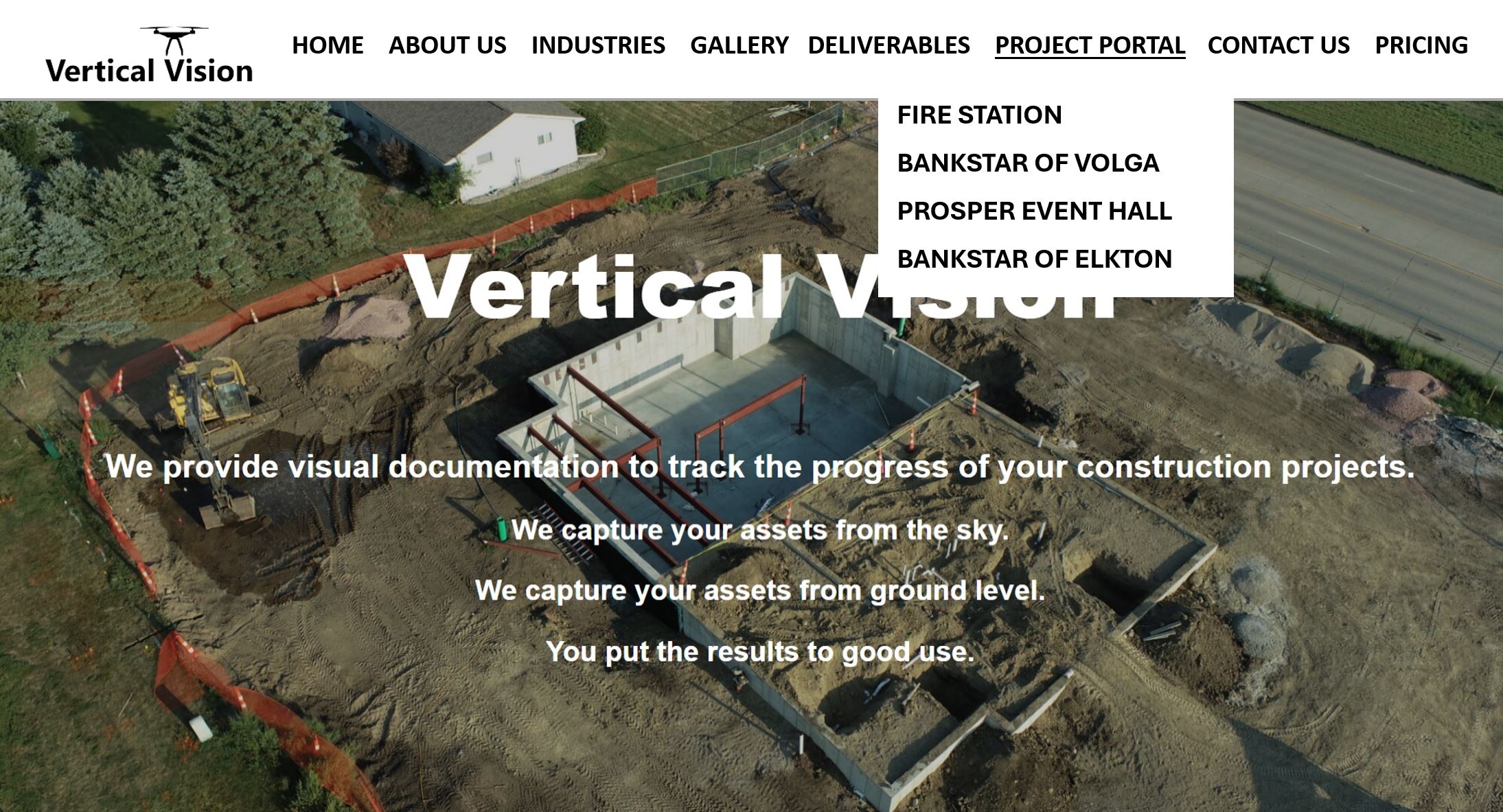
2. Use Vertical Vision Website
- Go to Vertical Vision website > Project Portal > (your project)
- Peruse through this landing page (password protected)
- Then choose the date you’re looking for
(Visual data is organized in chronological order)

3. Use your Construction Management software
Use your Construction Management Software (such as Procore) to access your visual documentation. This method maintains a single point of access to all project related information.
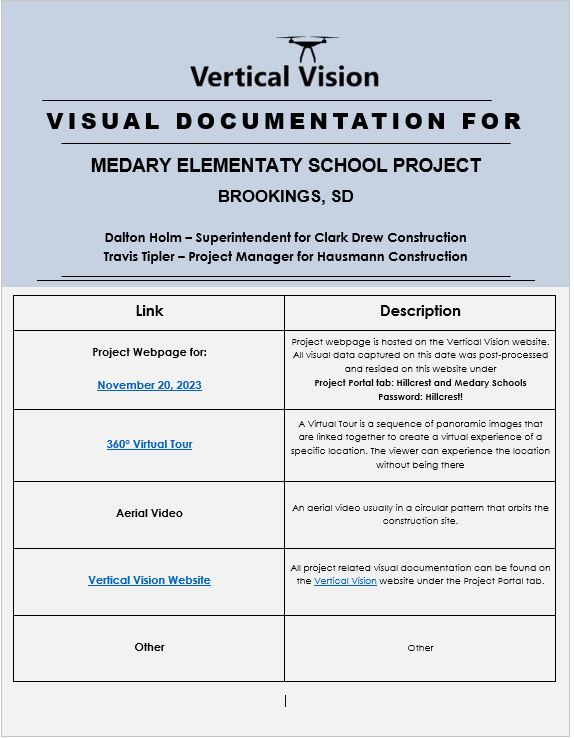
- Vertical Vision emails the .pdf (as shown here) to the PM or to the Project Specific email address.
- PM uploads the .pdf into the specific project album
- The .pdf is retrieved from the project specific album and opened. The hyperlinks open the project webpage containing the visual documentation for that particular point in time.
All supporting data is stored and archived on OneDrive no matter what delivery option is chosen. All documentation is owned by the customer.
Disclaimer: Vertical Vision will not share or disseminate any information or documentation unless given written approval from the client.
